
Foot Control Hand Remote
Built In Panel
Best Controls for a Busy Treatment Room
A workflow, safety and procurement guide for electric treatment beds
September 15, 2026
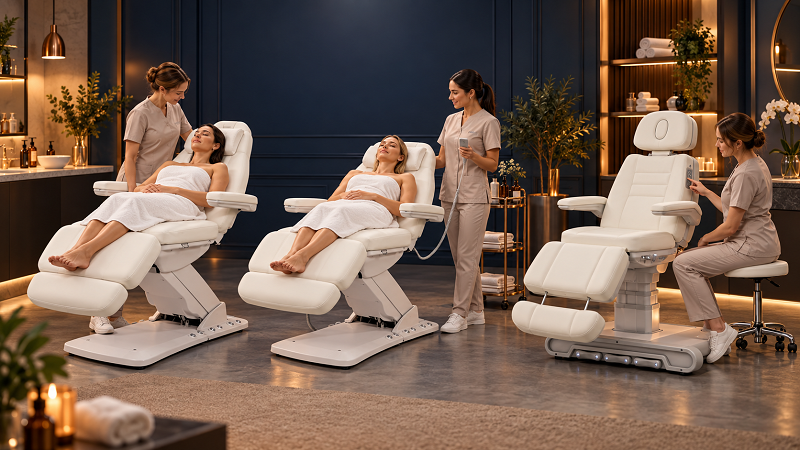
The control system on an electric treatment bed determines more than how the backrest goes up or down. It affects whether a practitioner can keep both hands near the client, whether the correct movement is easy to identify, where cables sit, which surfaces are touched between services and how quickly a shared room can be reset for the next appointment.
Foot controls, wired hand remotes and built-in panels can all work well. The best choice depends on the treatment sequence, the operator's normal position and the safeguards built into the complete bed. In a high-throughput room, a thoughtfully specified dual-control system is often the most flexible answer, but extra controls are valuable only when they remain reachable, cleanable and difficult to activate by mistake.
Choose a foot control when practitioners make frequent small adjustments during active treatment and need their hands available. Choose a hand remote when movements are mainly made during setup or when operators need to see a clear button map for several motorized sections. Choose a built-in panel when the room is shared, the controller must always be in the same location or memory positions and standardized workflows matter.
For busy multi-service rooms, the strongest configuration is often foot control plus a visible hand or built-in interface. The foot control supports in-treatment height changes; the visual interface supports deliberate backrest, legrest or tilt changes during setup. This is a workflow recommendation, not a safety certification. Confirm the behavior, cleaning instructions and included controls for the exact model before purchase.
An electric treatment bed may have two, three, four or more powered movements. A simple height-only table asks very little of its controller. A multi-position facial or aesthetic chair may control height, backrest, leg section and seat tilt, then add rotation, heating or memory presets. As functions increase, button recognition and control placement become more important.
The relevant question is not which controller looks most advanced. It is whether the intended user can reach the correct command, understand the resulting movement and observe the client and the area around the bed. Lighting, gloves, stool position, footwear, trolley placement and the side from which a practitioner normally works all change the answer.
For medical-device applications, the U.S. Food and Drug Administration's human factors and usability guidance emphasizes the relationship between intended users, use environments and user interfaces. Not every salon bed is a medical device, and the guidance is not a product endorsement. The principle is still useful for procurement: evaluate the controller in the real room and with the people who will use it.
Best for hands-free adjustments during active work
A foot control lets the practitioner change a supported movement without putting down a tool or moving a hand away from the client. This can be useful during facial, body, podiatry, tattoo or aesthetic work when small height corrections protect the operator's working posture and the client's position should change smoothly.
The term covers several designs. A loose pedal can be moved within its cable reach. Side pedals are fixed near one working position. A base-mounted or perimeter foot bar provides access from more than one point around the bed. These designs should not be treated as equivalent when comparing quotations.
· Strong fit when height changes are frequent and both hands need to remain available.
· Can reduce interruption when the practitioner already stands with one foot naturally near the control.
· Integrated base controls remove a loose pedal from the floor, but their tactile layout still requires training.
· Less suitable when the operator must twist, reach with the leg, look down repeatedly or shift weight onto one foot.
· A loose pedal and its cable can conflict with stools, trolleys or walking paths if the room is not planned around them.
Test the foot control while wearing normal work shoes and while seated as well as standing. The practitioner should be able to identify the intended movement without searching with the foot, and releasing the control should produce the documented stop behavior. Confirm that another person, trolley wheel or dropped item cannot easily activate it.
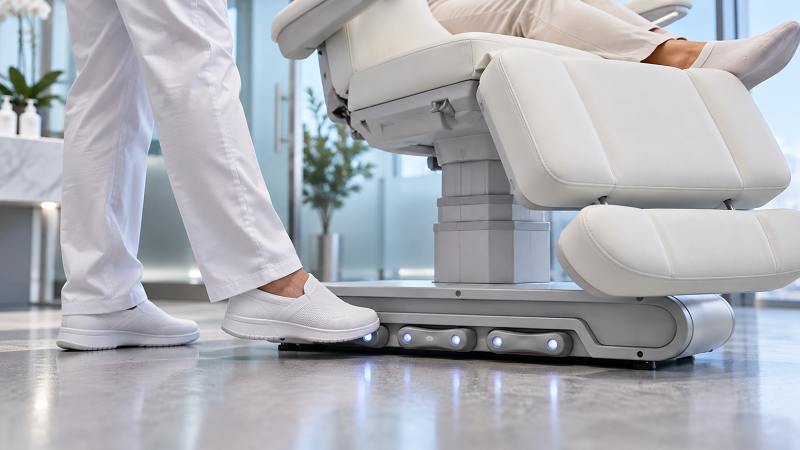
Integrated foot control for hands-free treatment bed adjustment
Best for visible and deliberate multi-axis positioning
A wired hand remote, also called a handset or pendant, places paired movement buttons in the operator's hand. It is usually the easiest interface for a new or occasional user to inspect before pressing a command. This matters when the bed has several powered sections and the operator wants to watch the whole chair while changing from an entry position to a treatment position.
Handsets work particularly well when most adjustments happen before the practitioner starts active work, between major treatment steps or at the end of the service. They also make fault reporting more specific: staff can identify which labelled direction or function did not respond.
· Clear visual mapping supports deliberate selection of backrest, height, tilt or legrest functions.
· The remote can be used from different sides of the bed within its cable reach.
· A dedicated holder prevents the handset from being lost, trapped under upholstery or left hanging in a walking path.
· One hand is occupied during the adjustment, so the operator may need to pause the treatment and put down an instrument safely.
· The remote, cable and holder become high-contact items that need a documented cleaning method compatible with the manufacturer’s instructions.
Check cable length through the bed's entire motion range. Too little slack can strain the connector; too much loose cable can snag a trolley or touch the floor. A coiled lead is not automatically safer if it pulls the remote back against the moving chair or encourages staff to stretch it beyond its intended reach.
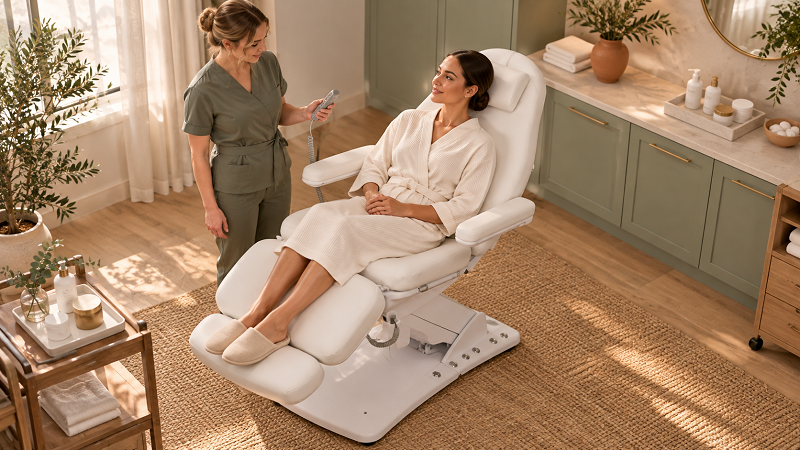
Wired hand remote used for visible pre-treatment positioning
Best for fixed access and standardized shared-room workflows
A built-in panel places controls on the bed itself, commonly on a seat surround, side rail or back shell. It cannot be misplaced, and a practitioner entering a shared room knows where to find it. On models with panels on both sides or on the back as well as the side, different working positions may remain supported without an external controller on the floor.
Integrated panels can also make memory positions practical. A team can store approved setup positions for common services, provided the manufacturer explains how presets are programmed, recalled, locked and reset after a power interruption. Memory should shorten repeatable setup; it should not encourage a practitioner to stop observing the client or surrounding space while the bed moves.
· Always attached and visually consistent across standardized rooms.
· No separate remote to store, drop or reorder.
· Good fit for shared rooms when panels are reachable from the actual working sides.
· May require the practitioner to step away from the treatment zone or reach across the bed if panel placement is poor.
· Repair can be more involved because the interface is integrated into upholstery, trim or the chair shell.
Ask whether all built-in panels provide the same commands, whether client-side controls can be locked and whether the panel remains readable in low treatment lighting. A glossy panel that looks elegant in a catalog may show cleaning wear or reflections in daily use, so review a sample or detailed video.
Decision factor | Foot control | Hand remote | Built-in panel |
Best workflow | Frequent small changes during active treatment | Setup and deliberate multi-axis changes | Shared rooms and repeatable station routines |
Hands during use | Remain available | One hand operates the handset | One hand normally presses the panel |
Command visibility | Limited unless operator looks down | Usually clearest visual button map | Clear if panel is visible from working position |
Reach | Depends on pedal or perimeter access | Flexible within cable length | Fixed to one or more points on the bed |
Misplacement risk | Loose pedal can move; integrated base control cannot | Can be dropped or left outside its holder | Cannot be misplaced |
Cleaning focus | Floor soil, footwear contact, edges and cable | Buttons, case, cable and holder | Panel seams, overlay and surrounding trim |
Accidental activation | Possible from a foot, object or trolley | Possible if squeezed, trapped or placed under items | Possible if leaned on or reached by the client |
Serviceability | External units may be easy to swap; integrated controls vary | Often replaceable if connector and part remain available | May need panel or chair-side service |
Procurement strength | Hands-free continuity | Intentional selection and troubleshooting | Consistency and availability |
These are typical operating characteristics, not universal specifications. Button logic, access, connectors and safety behavior vary by model. Compare the exact control architecture on the supplier's quotation and manual.
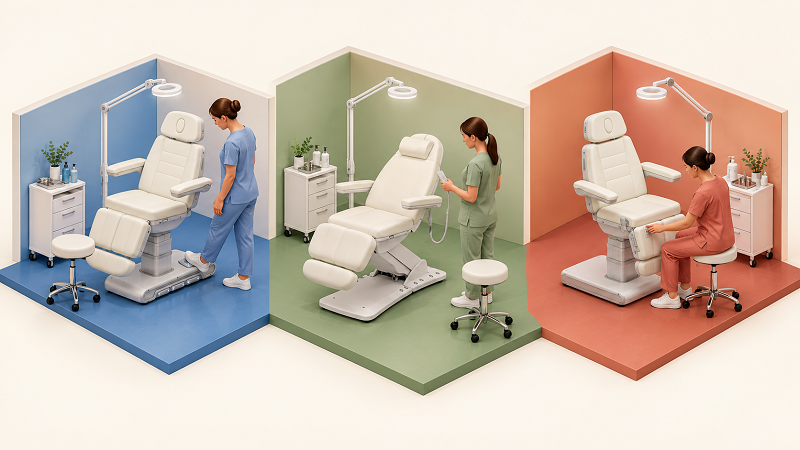
Foot, hand and built-in treatment bed controls compared by workflow
These services often use a carefully prepared position for a long portion of the appointment. A hand remote or built-in panel can be sufficient when the bed is adjusted during client entry, consultation and final return. Foot control becomes more valuable if the practitioner regularly changes height while seated or moves between facial and neck or shoulder work.
The operator may need both hands available and may make small changes to height or tilt between stages. Dual controls can support this pattern: use a visible interface for larger setup changes, then use a protected foot control for minor corrections. Facilities should apply their own clinical policies, device classification requirements and trained-user restrictions.
Practitioners may work from several sides and maintain a defined clean field. A foot control can preserve hand availability, but a single loose pedal may be inconvenient when the operator changes sides. A base-mounted multi-side control or an accessible built-in panel can reduce repositioning, provided controls remain outside splash and obstruction zones.
Height adjustment is often more important than frequent backrest articulation. A simple foot control or perimeter bar can support posture without adding a complex handset. If the table also converts for seated facials or consultations, a hand remote may make the less frequent section changes easier to identify.
Built-in controls reduce searching and standardize access. Add a foot control when different practitioners make adjustments during active work. Use the same button mapping across rooms where possible, and train every operator on motion, lockout, emergency procedures and cleaning responsibilities before independent use.
A bed with both foot and hand controls may be the best operational fit for a mixed-service room. It does not follow that one controller is an independent backup for the other. Both interfaces may connect to the same control box, power supply, wiring harness or actuator. A failure in shared electronics can disable both.
Ask the supplier which components are shared and which can be replaced separately. Confirm whether connecting an optional controller disables any existing command, whether simultaneous inputs are ignored, prioritized or faulted, and whether all movements are available from both interfaces. These details belong in the manual or written technical response, not in assumptions made from product photos.
Powered treatment beds create moving gaps and restricted sightlines around linkages and bases. SafeWork South Australia's guidance on height-adjustable treatment tables and beds warns about trapping, crush and shear points, calls for checks around and beneath the table before movement and says controls should be positioned to avoid unintentional activation.
A controller choice cannot replace safe operating design or staff training. Apply the manufacturer's instructions and the requirements of the destination market, then build the following actions into the room procedure.
1. Assign control of bed movement to a trained operator. Do not assume the client should operate the controls unless the exact product and facility policy allow it.
2. Before every movement, check the client, cables, linens, accessories and the area around and beneath the bed. Keep hands, feet, hair, clothing and equipment away from moving gaps.
3. Use small, observed adjustments. Stop if the client reports discomfort, movement is uneven, a control sticks, an unusual sound occurs or any obstruction appears.
4. Keep pedals out of walking paths and protect controls from trolleys, dropped tools and storage items. Do not wedge a pedal in the active position.
5. Know the isolation, reset and emergency procedures for the exact model. A memory or return button is not an emergency stop unless the manual explicitly identifies it as one.
6. Remove damaged cables, cracked housings, loose panels or intermittent controls from service and arrange qualified inspection. Do not bypass a switch or fit an unapproved replacement controller.
No control method is inherently hygienic. A hand remote is touched frequently. A built-in panel may sit close to the treatment zone. A foot control contacts footwear and the floor. The right comparison is whether each interface can be cleaned effectively without liquid entering switches, damaging labels or degrading cables and plastic overlays.
For healthcare environments, the CDC's environmental cleaning procedures treat control panels as high-touch surfaces and emphasize written cleaning schedules, assigned responsibility and manufacturer instructions for equipment. Salon and spa protocols will vary, but the same purchasing questions are practical.
· Which cleaner or disinfectant is compatible with the housing, cable, label and panel overlay?
· Must the bed be disconnected from power before cleaning the controller?
· Can the control tolerate wiping only, or does it have a documented liquid-ingress rating?
· Are seams, holders and cable strain-reliefs accessible for cleaning?
· Are protective covers approved, and can they be replaced without blocking buttons or creating unintended pressure?
· Who cleans each controller between users or procedures, and where is completion recorded?
Never infer water resistance from a smooth appearance. Request the written instructions for use and material-compatibility list. Spraying liquid directly onto a control can create both damage and electrical risk even when the treatment-bed upholstery itself is described as easy to clean.
For distributors, chains and project buyers, the controller should be specified as a configuration item rather than left under 'standard accessories.' The pro forma invoice, packing list and spare-parts plan should use the same controller names and quantities.
1. Exact included interfaces: hand remote, loose foot pedal, side foot switch, perimeter bar, side panel, back panel or a defined combination.
2. Movement mapping: which controller operates height, backrest, legrest, seat tilt, rotation, heating and memory functions.
3. Operating logic: press-and-hold or one-touch movement, release behavior, simultaneous-input behavior, child or client lockout and reset procedure.
4. Access dimensions: cable lengths, panel locations, pedal reach and clearance from the base, stool and trolley through the full movement range.
5. Cleaning evidence: instructions, compatible products, liquid-ingress claim if any, replaceable overlays and cable-care requirements.
6. Electrical details: destination voltage and frequency, plug type, power supply, control-box model, connector type and required market documentation.
7. Spare parts: controller and cable part numbers, interchangeability by production batch, prices, minimum order, lead time and warranty coverage.
8. Training materials: operating manual, movement diagram, setup video, error codes and escalation process for a stuck or unresponsive control.
9. Sample approval: a photo or video of the exact production configuration before a bulk order, including every control interface and its storage position.
The DP-136F electric beauty bed product page presents a dual-control configuration with a handheld remote and dual-side foot controls. That arrangement suits buyers who want a visual handset for setup and foot access during a procedure. Confirm the final model code, included controller set and movement mapping on the quotation.
The DP-M13A3GS-5J five-motor salon treatment bed lists side and back control panels, base foot controls and two memory positions. It illustrates an integrated approach for multi-position salon rooms where several access points and repeatable setups matter. Product specifications include options, so the final ordered configuration should be documented explicitly.
When requesting a project quotation, provide the intended services, room plan, practitioner working sides, station quantity, electrical destination and cleaning protocol. Then contact Dongpin for a control-configuration review rather than asking only for a bed with 'full controls.'
Not universally. Foot controls are strongest for hands-free adjustments during active work. Hand remotes are usually easier to inspect and use for deliberate multi-axis setup. The treatment sequence and normal operator position should decide.
A dual system often gives the most flexibility: a visual hand or built-in interface for setup and a protected foot control for small in-treatment changes. The controls must remain reachable, cleanable and resistant to accidental activation on the exact room layout.
No control is automatically more hygienic. Foot controls contact footwear and floor soil; hand remotes and built-in panels are high-contact surfaces. Use the manufacturer's compatible cleaning method and assign responsibility in the room cleaning schedule.
Only if the manufacturer confirms compatibility with the exact control box, connectors, firmware and production version. A matching plug does not prove safe operation. Obtain the approved part number and installation instructions before ordering an accessory.
Generally, powered movement should remain under a trained operator's control unless the product instructions and facility policy specifically allow client use. Client-accessible panels may need a lockout or restricted functions depending on the setting.
Not necessarily. Two interfaces may share the same power supply, control box or wiring. Ask the supplier which components are independent and what faults can disable both controls.
Consider an agreed quantity of approved handsets, foot controls, cables, holders and panel overlays based on fleet size and lead time. Record exact part numbers and batch compatibility, and confirm whether replacement requires a technician or software pairing.
For a busy treatment room, the best controller is the one that supports the service without making the operator search, stretch, release the client unexpectedly or expose a control to avoidable damage. Foot control favors hands-free continuity. A hand remote favors visible, deliberate positioning. A built-in panel favors consistency and shared-room access.
Choose the interface after mapping the real service sequence and room layout. If several service types share the bed, specify complementary controls and document exactly which functions each one operates. That produces a safer and more useful purchasing decision than selecting the model with the greatest number of buttons.
Editorial note: This article provides general equipment-selection and workflow information. Follow the manufacturer's instructions and the applicable safety, electrical, infection-control and device requirements in the destination market.


"*" indicates required fields


